Selected work
Loop Website: Feature Pages
Helping prospects find the right Loop features.
My role: User Research · Wireframing · Website Development

Loop needed a clearer way to explain its product. In 2023, our marketing team planned 15 pages connecting individual features to four benefits: saving time and money, retaining revenue, building loyalty, and supporting sustainable returns.
I researched the website journey, explored navigation and page layouts, and built the new pages in WordPress with the marketing team.
The goal
Help prospects understand what Loop offers, find relevant features, and take the next step toward a demo. Give internal teams useful pages to share instead of one-page PDFs.
Previous experience
Useful features were hard to find.

Previous navigation across desktop and mobile · Tap to expand

Previous Exchanges page across desktop and mobile · Tap to expand
What got in the way
Features were buried inside four broad category pages, with no direct path from the menu.
The desktop menu covered much of the page, while mobile used a different hierarchy. Visitors had to work out where to go next.
Research + discovery
Make the next step easier to see.
I compared Firebase, Xero, REI, and Mailchimp to see how their navigation connected broad benefits to specific features. These were reference studies, not user interviews.
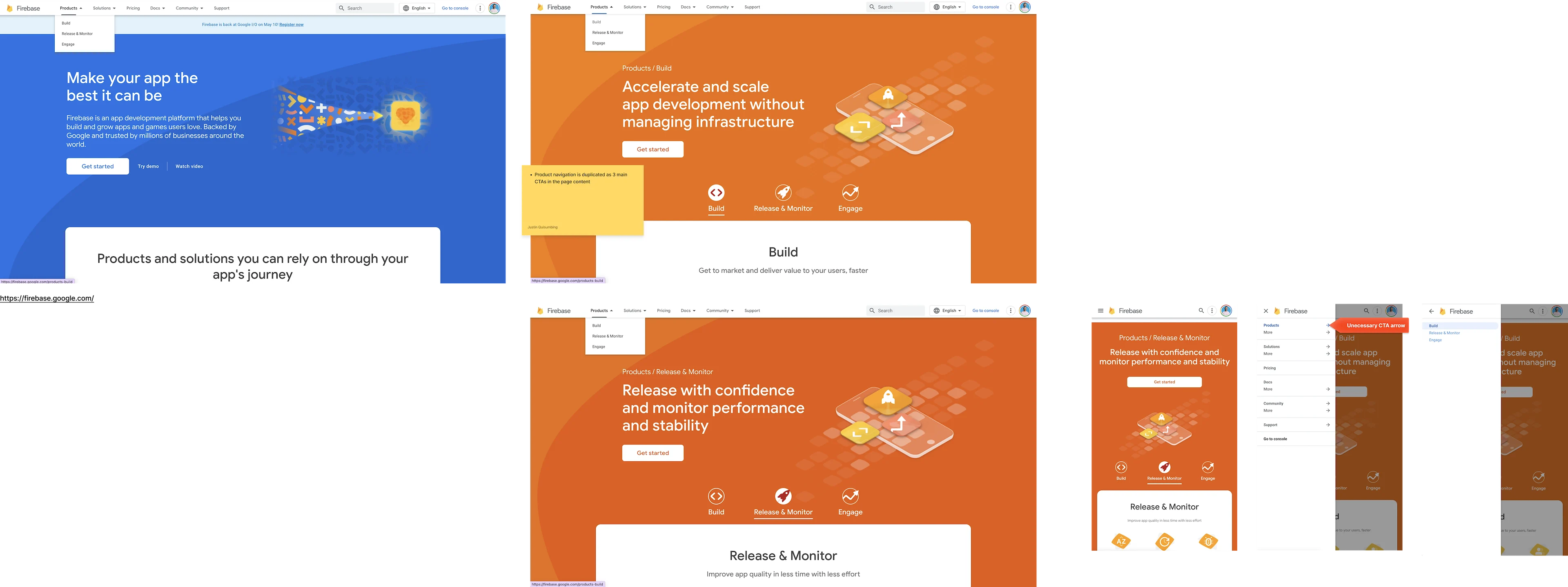
Reference study: Firebase navigation · Tap to expand

Reference study: Xero page hierarchy · Tap to expand

Reference study: REI navigation · Tap to expand
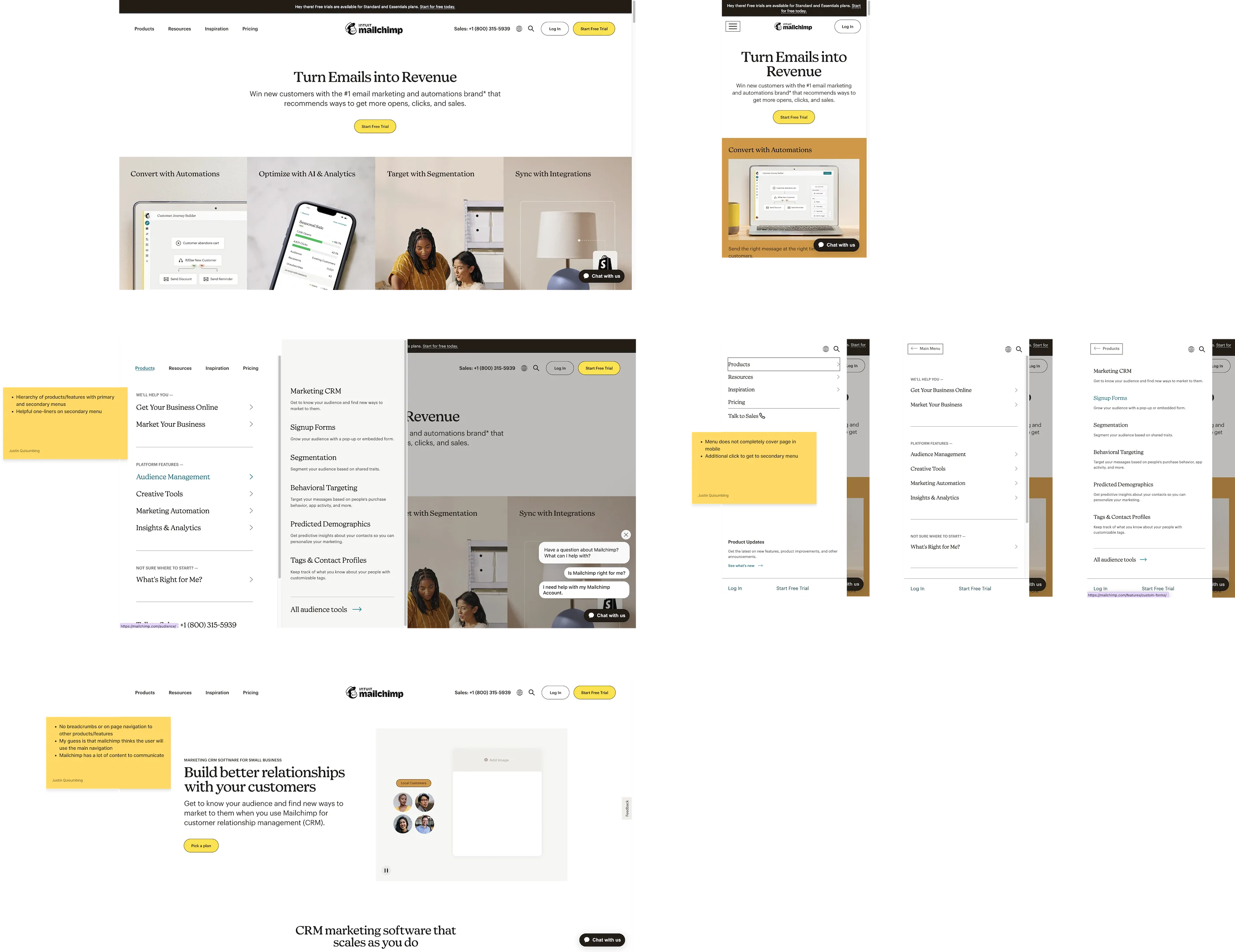
Reference study: Mailchimp journeys · Tap to expand
What I took into the design
Visitors arrive with different levels of product knowledge. They need a broad overview when exploring—and a direct route to details when they know what they want.
I explored three ways to support both: clearer menu groupings, breadcrumbs that show location, and links within pages that keep the journey moving.
Design exploration
A clearer menu. A connected journey.
Adding 15 pages meant rethinking how people found them. I tested menu groupings and desktop and mobile layouts, moving from a large mega-menu toward a more compact floating dropdown.

Exploring menu hierarchy · Tap to expand

Testing a wider mega-menu · Tap to expand

Refining the floating dropdown · Tap to expand
Connect benefits to the details.
I mapped the journey across three levels: a product overview, pages explaining the benefits, and individual feature pages. Wireframes helped me test how visitors could move between them.

Connecting value pillars to features · Tap to expand
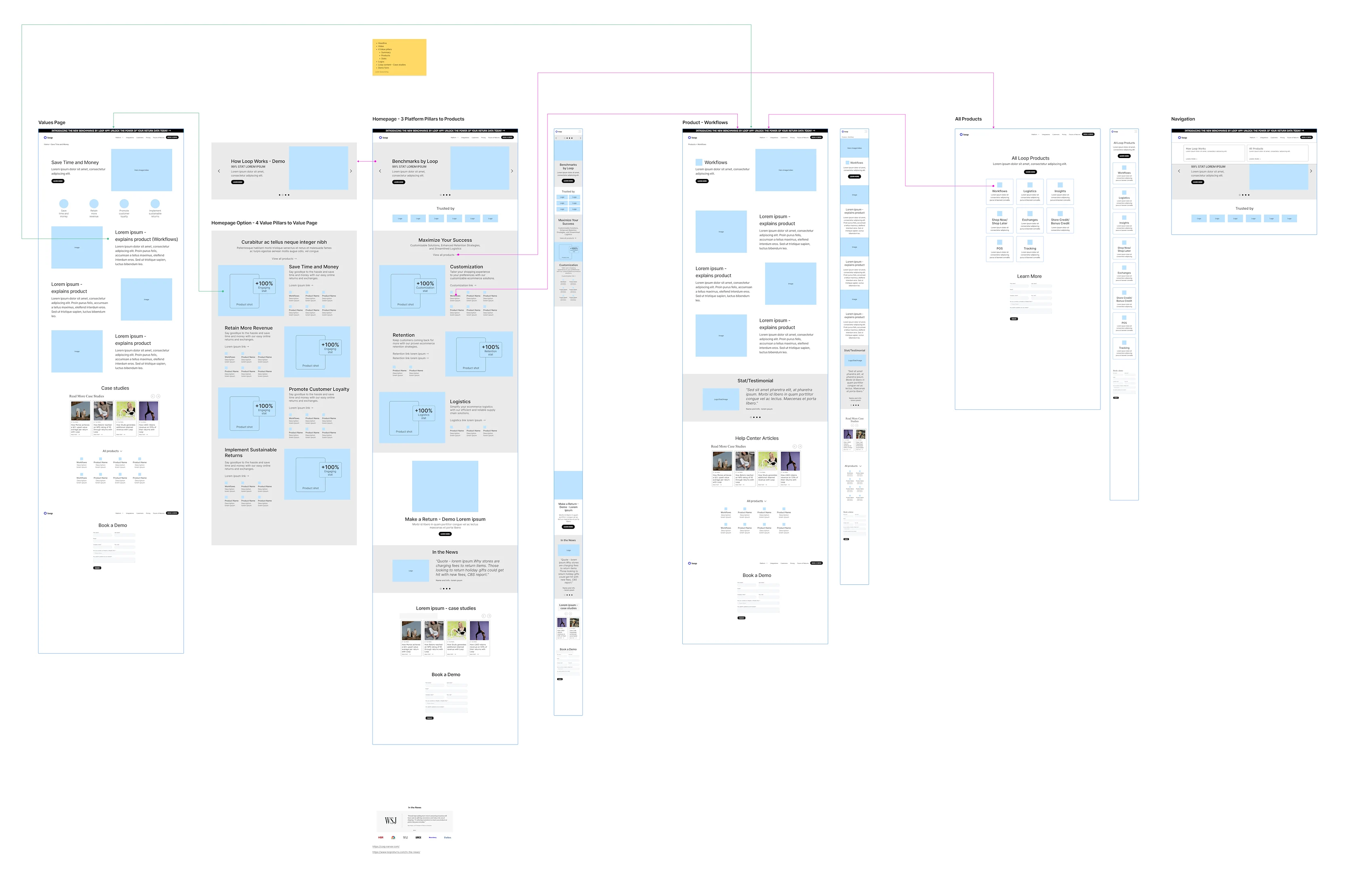
Mapping the paths between pages · Tap to expand

Early desktop and mobile layouts · Tap to expand

Refining the page layouts · Tap to expand
Design decision / Place relevant links and calls to action throughout the pages, so visitors can explore a feature or book a demo without returning to the menu.
User benefit / Follow a clear path from “What can Loop do for me?” to the features that answer that question.
The solution
One place to see what Loop offers.
The journey mapping revealed a missing piece: an all-features page. I brought this into the scope so prospects could scan Loop’s capabilities in one place.
User benefit / Compare the available features, understand what each does, and choose where to explore next.
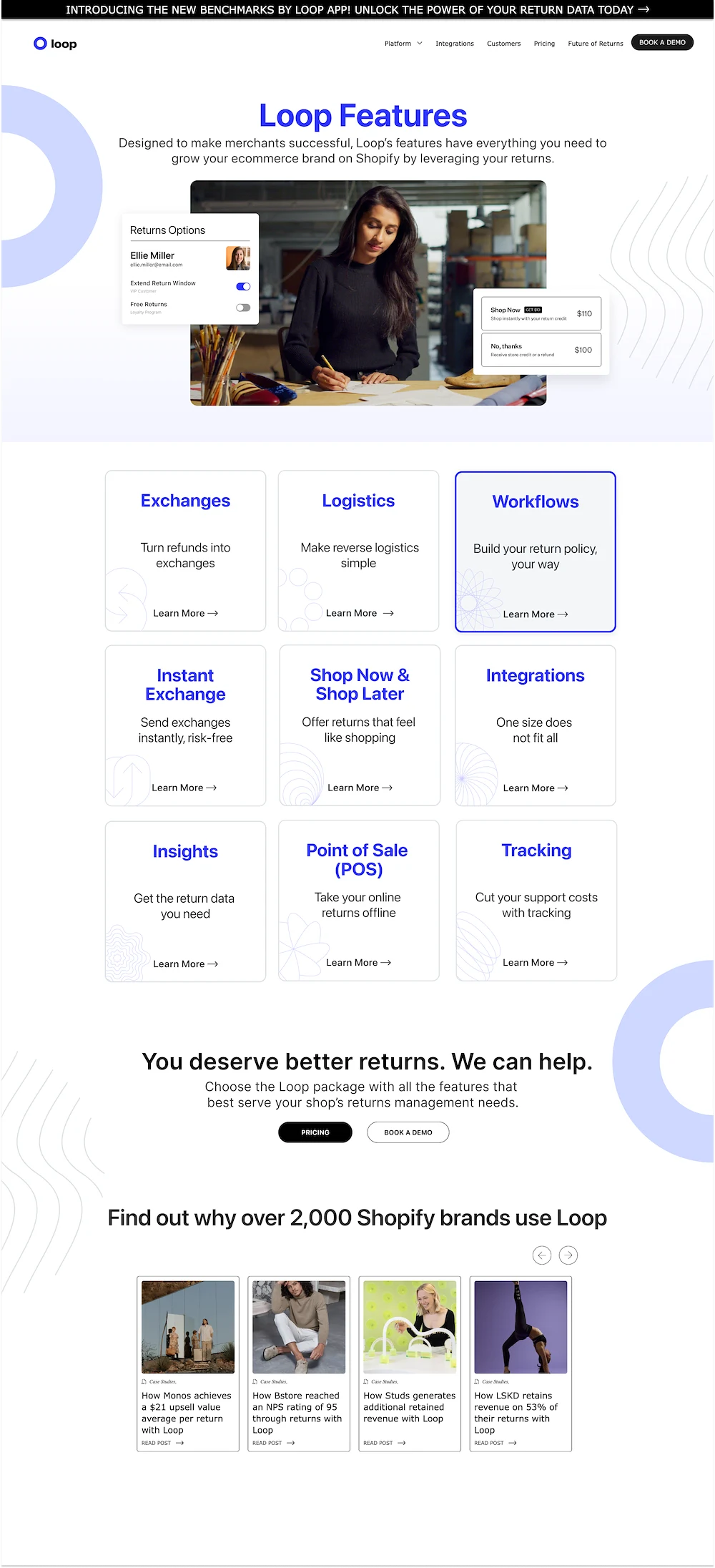
One place to explore all Loop features · Tap to expand
The connected experience

Final overview, value pillar, and feature pages · Tap to expand

Final desktop navigation and mobile menus · Tap to expand
Impact
Clearer discovery. More useful conversations.
For prospects
The 15 new pages connect Loop’s four benefits to individual features, with a clearer navigation structure and a central all-features page.
For the team
Sales, merchant success, and marketing reported that the pages became useful resources to send directly to prospects instead of one-page PDFs.
The pages were built with keyword optimization and accessibility in mind. Conversion, traffic, and bounce-rate improvements were not yet established, so I’m not claiming a measured uplift.