Selected work
Value Statement Email
Make the value clear. Make the next step useful.
My role: User Research · Wireframing

Loop’s quarterly email helped merchants understand the value of their returns program—from retained revenue to shipping savings. But a long list of numbers made the main message hard to scan.
I reviewed the existing campaign in HubSpot, compared engagement across merchant segments, and explored a clearer structure with marketing, merchant success, and product design.
The goal / Help merchants understand their results and find a useful next step, without making them work through every metric at once.
Previous experience
One email. Too much to take in.
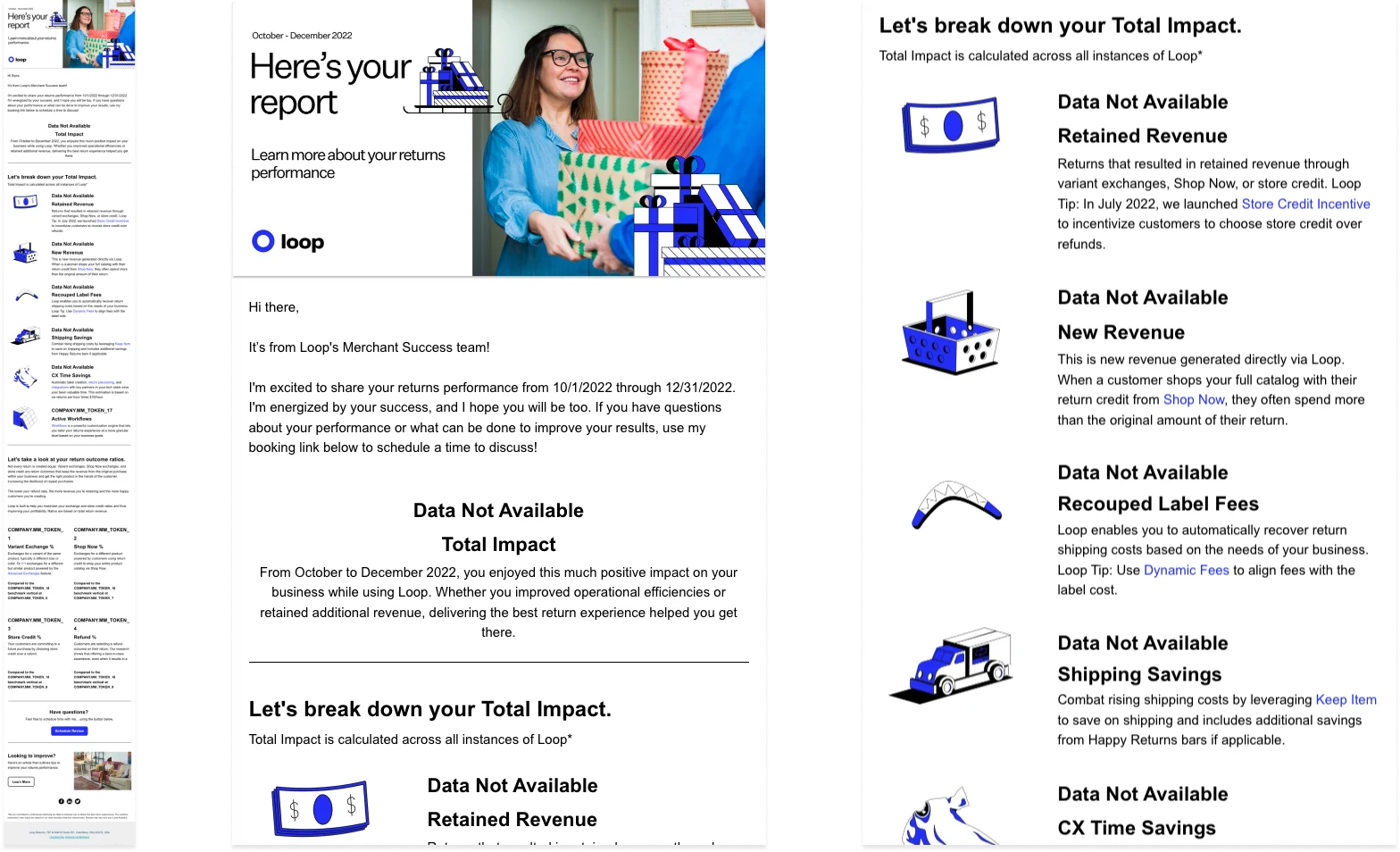
Previous email: many metrics in one long message · Tap to expand
Research + discovery
Follow the engagement, not assumptions.
I found four versions of the campaign: enterprise, top mid-market, mid-market, and small-to-medium businesses. I compared their analytics and click maps to understand what people used—and where attention dropped off.
What I looked for
Which information earned clicks? Did different merchant segments engage differently? Was the email helping people take action?
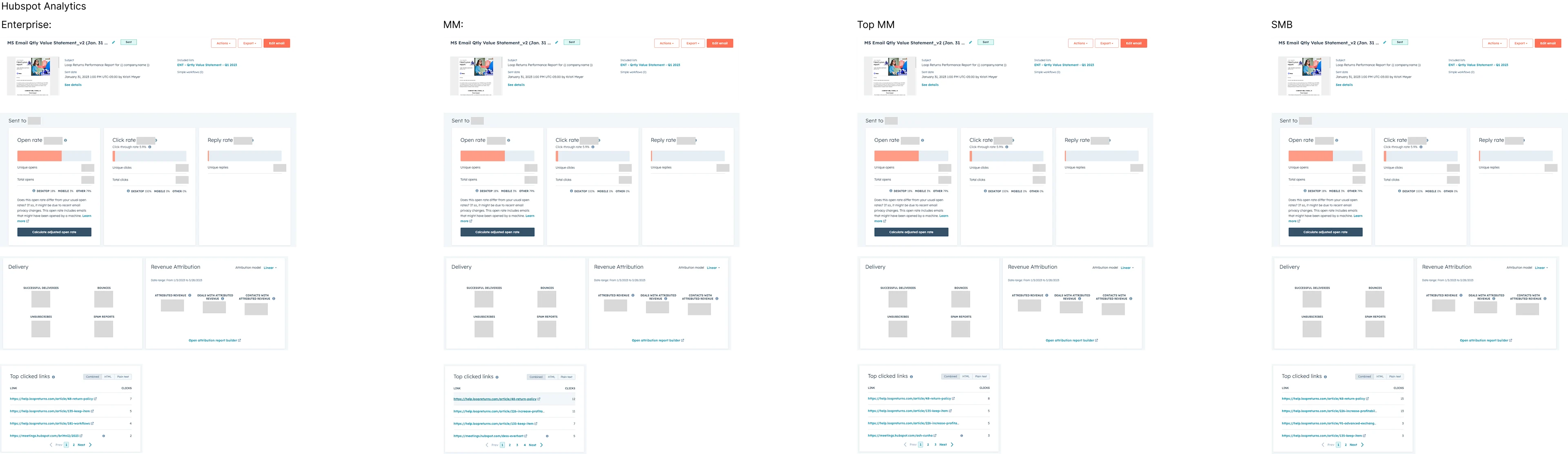
Comparing the four campaign segments in HubSpot · Tap to expand
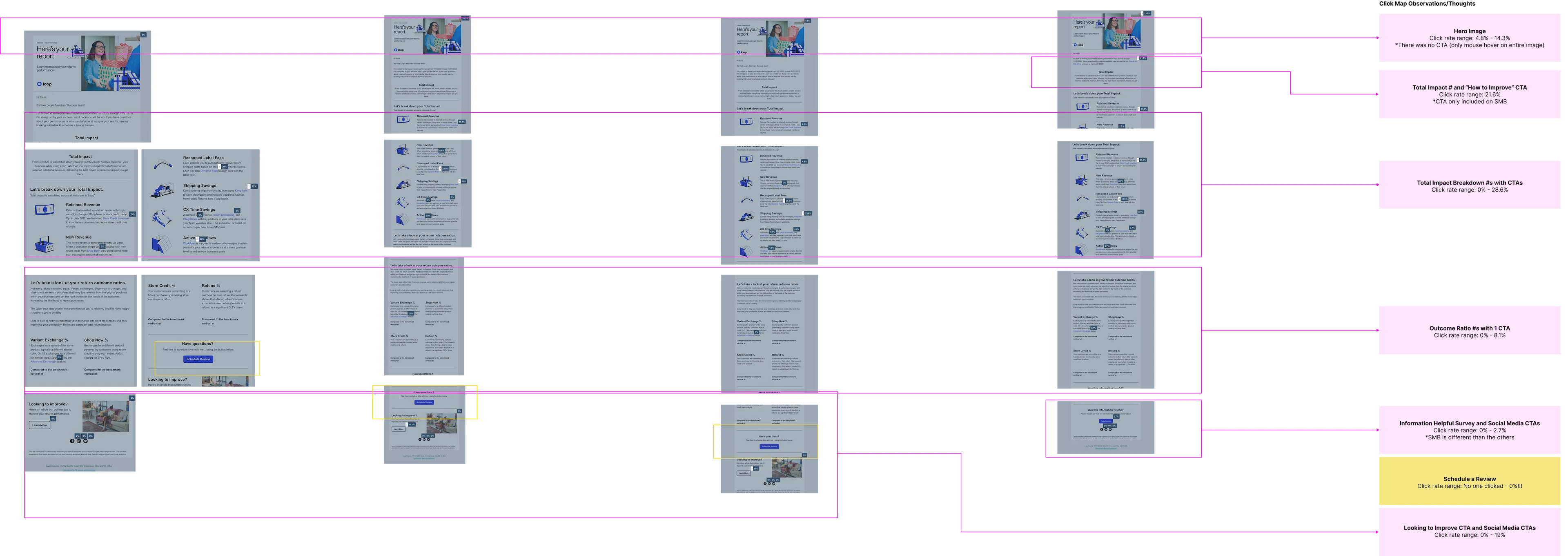
Click-map analysis: where readers engaged and dropped off · Tap to expand
What shaped the redesign
Engagement varied across segments, so one layout could not be assumed to work equally well for everyone.
Engagement dropped after the Total Impact section. We split the content into two focused emails, sent at the beginning and end of the quarter: one explaining business value, the other comparing return outcomes.
Working within constraints / Quarter-to-quarter comparisons were not supported by the current HubSpot integration. Copy-and-paste tools and PDF exports were outside the available scope.
A prominent improvement link near Total Impact attracted attention in an existing campaign variant. That informed a clearer, more visible next step in the redesign.
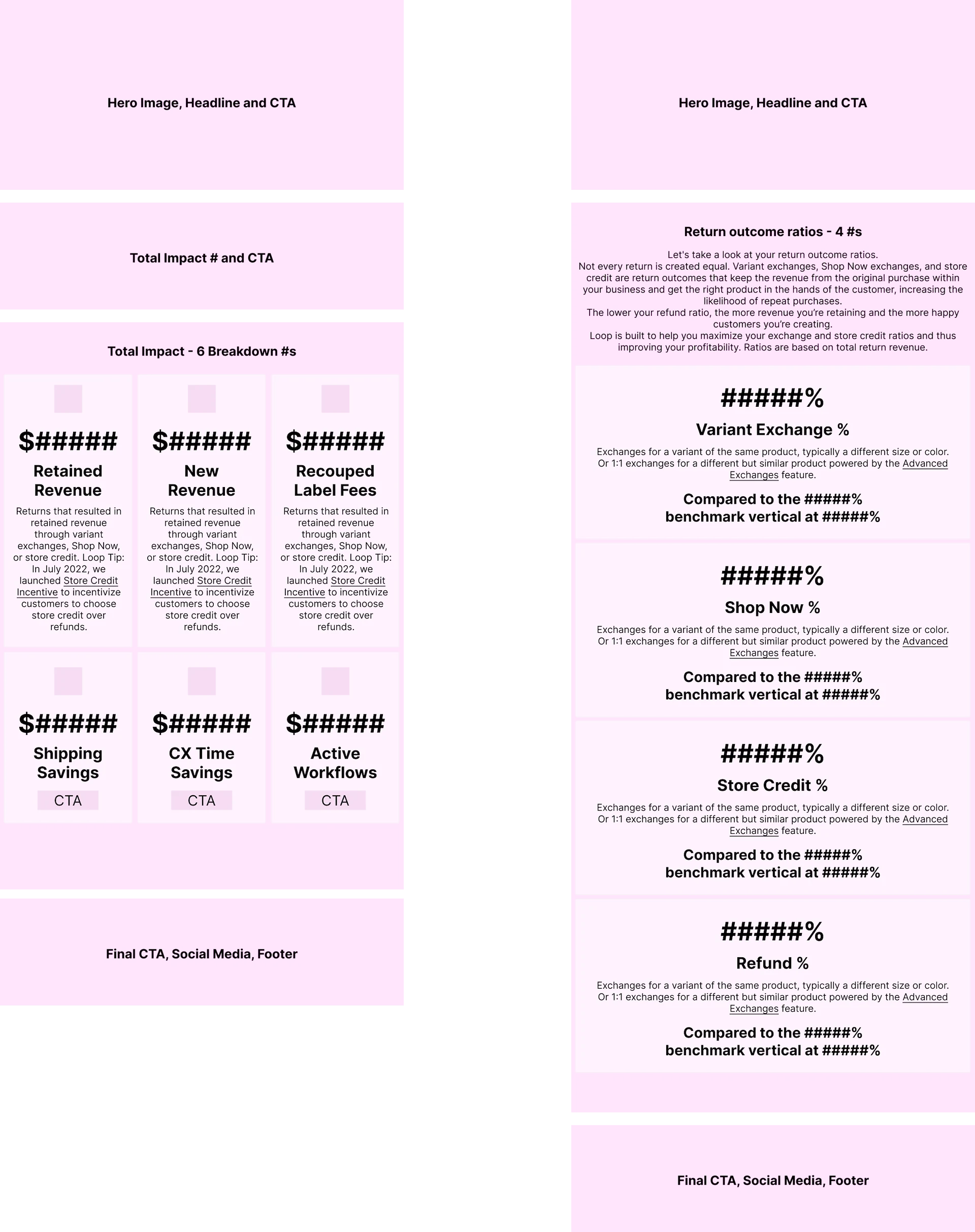
Wireframes: separating business value from return outcomes · Tap to expand
The solution
Put a person behind the next step.
We paired the merchant success contact’s photo and name with a nearby scheduling button. Merchants could see who would help and how to reach them.
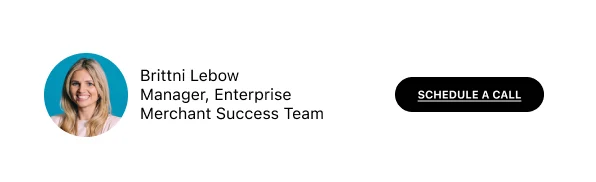
A recognizable contact and a clear scheduling action · Tap to expand
Give the numbers context.
A benchmark chart explains how return outcomes relate before the detailed comparisons. HubSpot could not generate the chart dynamically, so we created an image for each industry segment.

An industry benchmark makes the comparison easier to understand · Tap to expand
Two focused emails
The redesigned sequence separates “What value did Loop deliver?” from “How do my return outcomes compare?” Each email gives merchants a clearer purpose and relevant actions.
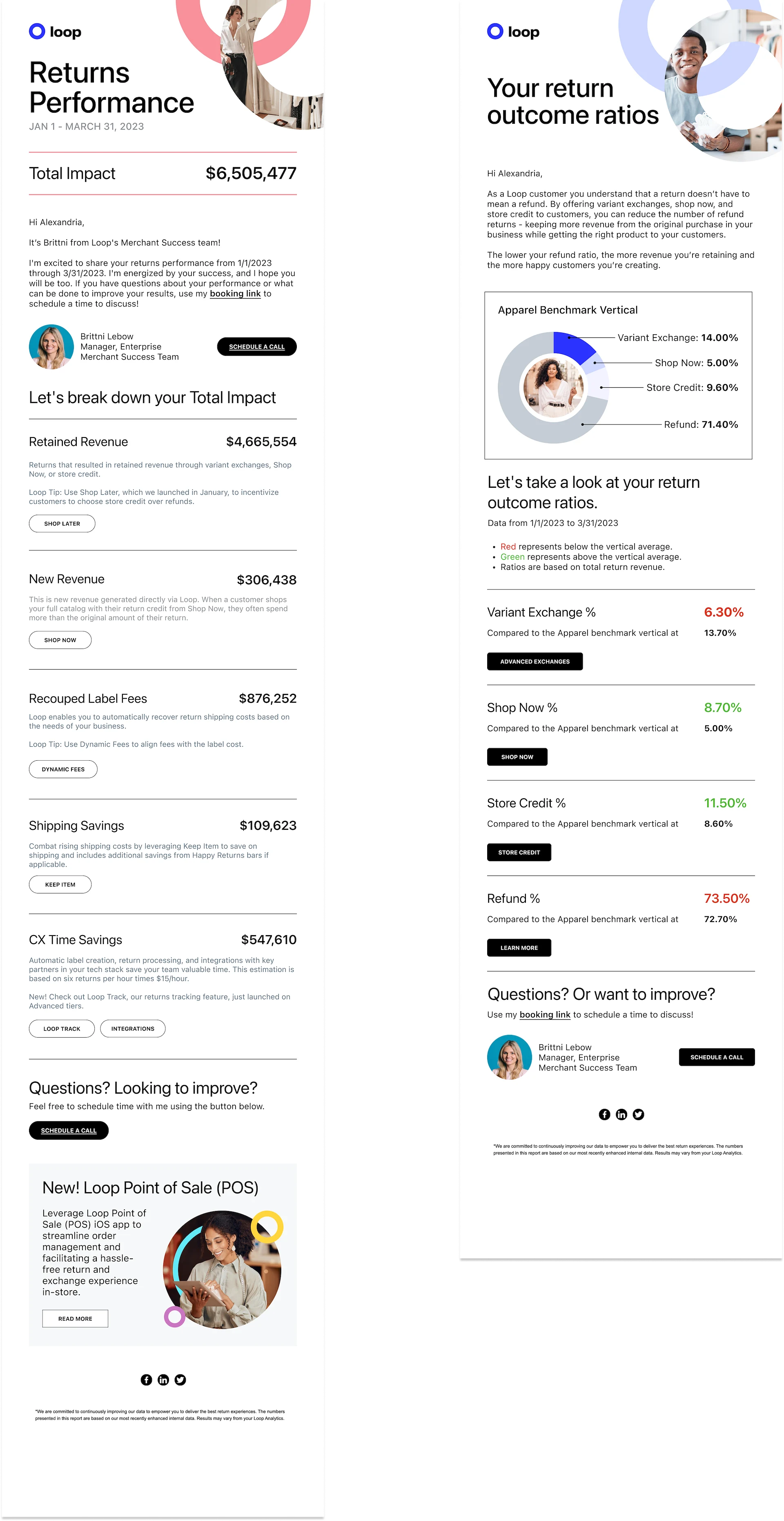
Final designs: Returns Performance and Return Outcome Ratios · Tap to expand
The final layouts were adapted to HubSpot’s email capabilities, including changes to buttons and metric arrangements.
Impact + learnings
Less to decode. A clearer reason to act.
For merchants / Two focused messages explain business value and return performance separately, with a recognizable contact for help.
For Loop / A clearer way to communicate value and connect merchants with relevant features and their success team, within the existing email platform.
Early feedback was positive. Post-redesign engagement results were still being gathered; the analytics shown here informed the design, rather than proving an uplift.